
Norse Canvas – Guitars+Reeds
Norse Canvas pairs two distinct guitars with harmonicas. Layer multiple sounds to create a truly bespoke audio experience.

The story
I wanted this pack to feel like a real living thing, dusty, raw, and full of character instead of that ultra-clean, sterile sound.
It started on my floor with an old FG130 folk guitar holding down the low end, panned hard opposite a high-pitched guitalele to make the stereo field feel massive. To build out the mood, I pulled drones right from the acoustic takes, layered in subtle pads, and recorded some loose harmonica lines for texture. The FX chain brought it all together and made the whole thing feel epic.
No AI and no clinical grid editing. Just real human takes, room noise, and subtle breaths.
The library features:
- ensembles (a2)
- pure sounds (2 Guitars + Harmonicas)
- processed sounds (Guitar Pads. aleatoric performances)
There are 2 main patches:
- default
- tuned (+12 semitones)
You could play both at the same time to enhance the ensembles to a4 (8ve) (very cinematic).
Screenshots
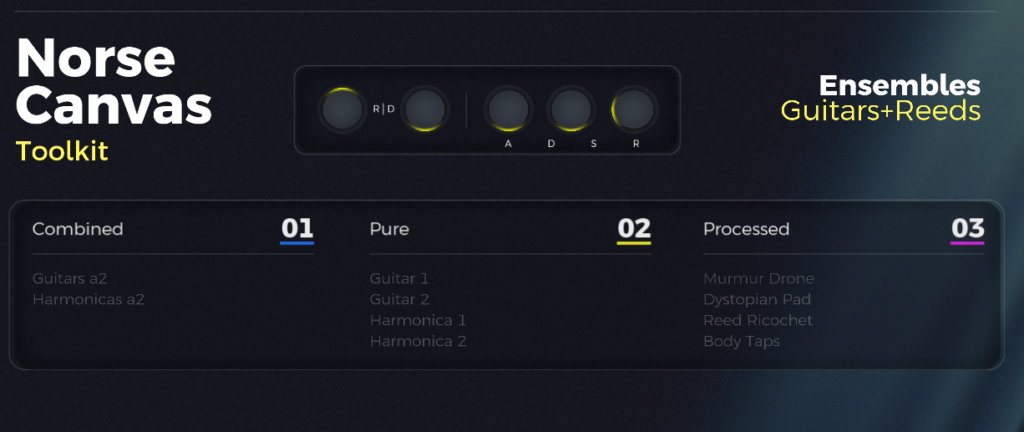
Reviews
Sounds great
Sounds good. Interface can use some bug fixes. Overall it's very good!
Norse has charater
Thanks, this is so original I use it on projects that are story heavy
Good sounds with a ideosyncratic UI
The base sounds are good versions of guitar and harmonica; the "combined" section of processed patches based on the raw sounds are useful takes which I found inspiring.
It's also interesting to be able to stack the sound layers by switching them on and off - note that by default none of the layers are on by default, so the instrument doesn't sound until you enable at least one.The UI is an admirable approach to building a powerful yet minimal interface, but for me it has some issues. I'm sorry to be picky because I respect the effort that's gone into this - I hope this feedback (for v1 as released in early September 2026) is helpful.
- On Windows, it's too small to be legible at the default size on a 1920x1080 screen - the scaled-down graphics break up.
- The control labels are very minimal; I wasn't sure how to interpret the envelope ADSR section, which has four labels but only three dials.
- The logic controlling the highlighted keys on the DS virtual keyboard can get confused and leave the keyboard dark when a layer is selected (enable two layers from the same column, then disable one).
- I also found some of the layers had a wider range than the virtual keyboard suggests.